Download VLC Media Player
Go to the official website videolan.org. Download and install the correct version for your operating system (Windows or macOS).
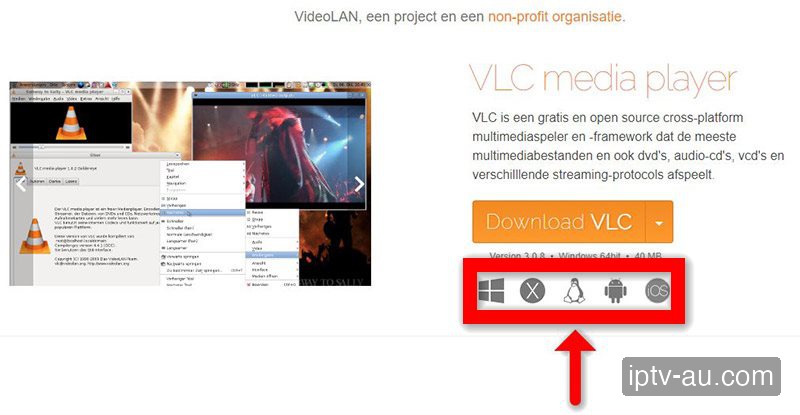
Always download VLC from the official videolan.org site.
How do I set up IPTV on PC & Mac Setup? To configure your PC & Mac Setup for IPTV, install a professional player app (like IPTV Smarters Pro or TiviMate) either from the official app store or by sideloading it. Once installed, launch the application and choose "Login with Xtream Codes API" to enter your subscription credentials and unlock your live TV and VOD library.
| IPTV Subscription | IPTV PC & Mac Setup |
|---|---|
| Recommended App | VLC Media Player / Smarters |
| Compatibility | Windows 10/11, macOS |
| Setup Time | 3 mins |
| Connection | M3U Playlist / Xtream Codes |
Your computer is one of the most powerful and flexible ways to watch IPTV. While IPTV Smarters Pro offers a beautiful TV-like interface for Windows, we highly recommend VLC Media Player for both PC and Mac due to its open-source nature, lightweight footprint, and incredible codec support for raw M3U streams.
Go to the official website videolan.org. Download and install the correct version for your operating system (Windows or macOS).
Launch VLC. In the top menu bar, click on Media (or 'File' on Mac), and then select Open Network Stream... (Shortcut: CTRL+N on Windows or CMD+N on Mac).
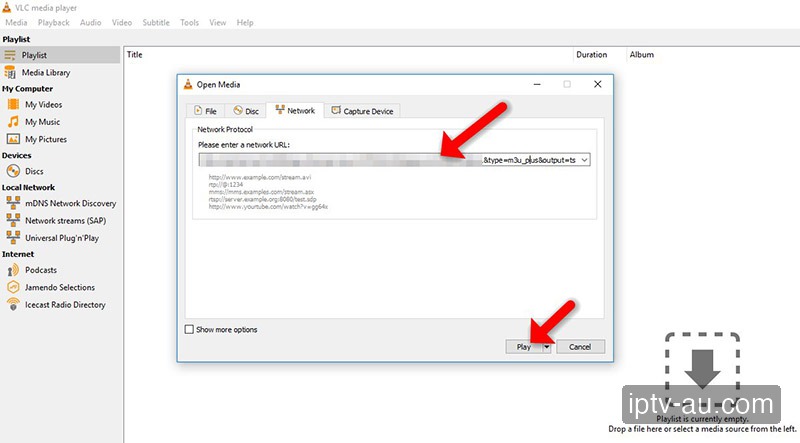
A dialog box will appear. Under the "Network" tab, paste the complete M3U URL provided by IPTV Australia into the text box. Then, click the Play button.
The first channel will automatically start playing. To view and search through the entire list of 58,000+ channels, click on View > Playlist from the top menu (Shortcut: CTRL+L on Windows or CMD+L on Mac).
Go to the official website iptvsmarters.com. Scroll to the Downloads section and select the Windows (.exe) or Mac (.dmg) version to download.
Open the application. You will be prompted to select a login method. Click on "Login with Xtream Codes API" (this is the most stable and feature-rich method).
Input the credentials sent to you by IPTV Australia via WhatsApp or Email. Fill out the four fields: Any Name (e.g., IPTV Australia), Username, Password, and the Server URL.
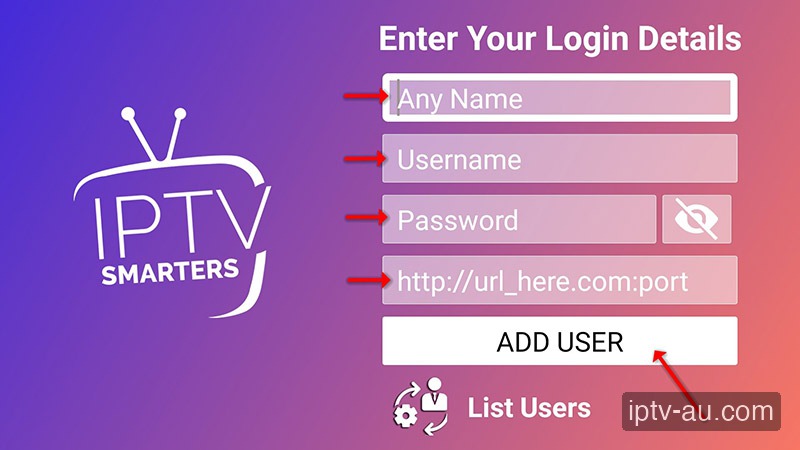
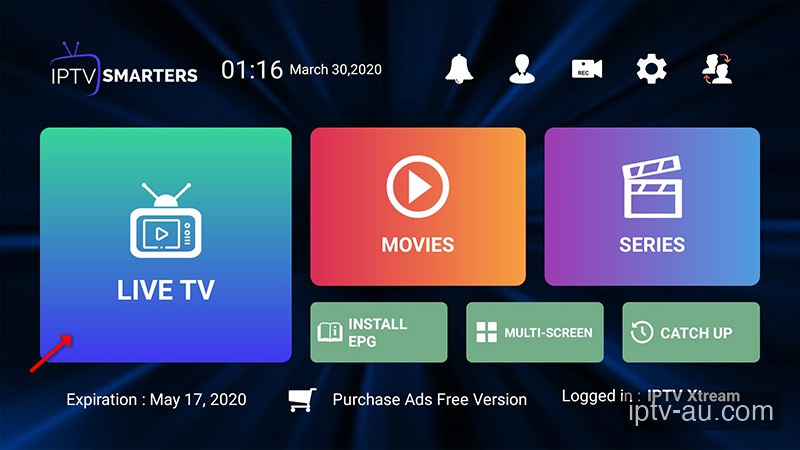
Click 'Add User'. The app will download your channels and movies list. Once complete, click on the 'Live TV' or 'Movies' tile to start watching with a beautiful Netflix-style interface.
You need to increase the network cache. Go to Tools > Preferences > Show settings: All. Navigate to Input / Codecs > Network Caching (ms) and change the value from 1000 to 3000 (3 seconds).
In VLC, go to View > Advanced Controls. This will add a red Record button to your playback bar. Clicking it will instantly save the raw M3U stream directly to your computer's Videos folder.
If you prefer visual posters for VOD and a grid-style EPG, download the IPTV Smarters Pro desktop application for Windows instead of VLC.
VLC has a loop function that sometimes misbehaves with M3U playlists. Click the "Loop" icon at the bottom of the player until it shows a small "1" (Loop One), or ensure Windows Defender Firewall isn't blocking the VLC connection.