Open EPG Settings
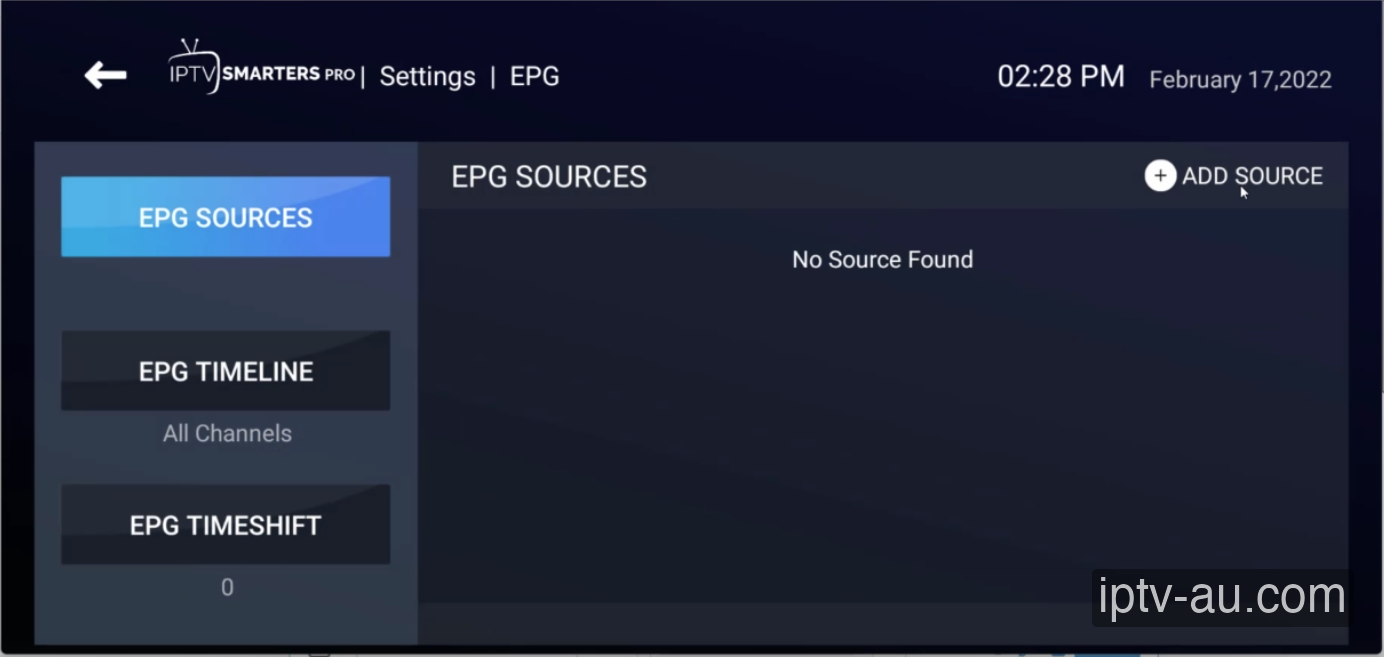
From the main menu of your IPTV application, navigate to the Settings icon (usually a gear). Look for a section labeled EPG or EPG Sources. Click on the Add Source button (usually marked with a + icon).
| What is it? | Electronic Program Guide (TV Schedule) |
|---|---|
| Required Info | EPG XMLTV Link |
| Setup Time | 2 mins |
If you are using the Xtream Codes API (Username/Password), the EPG usually downloads automatically. However, if you are using an M3U Playlist file, you must manually add the matching EPG URL so your player knows what shows are playing on which channels. This guide shows you how to add that URL using IPTV Smarters as an example.
From the main menu of your IPTV application, navigate to the Settings icon (usually a gear). Look for a section labeled EPG or EPG Sources. Click on the Add Source button (usually marked with a + icon).
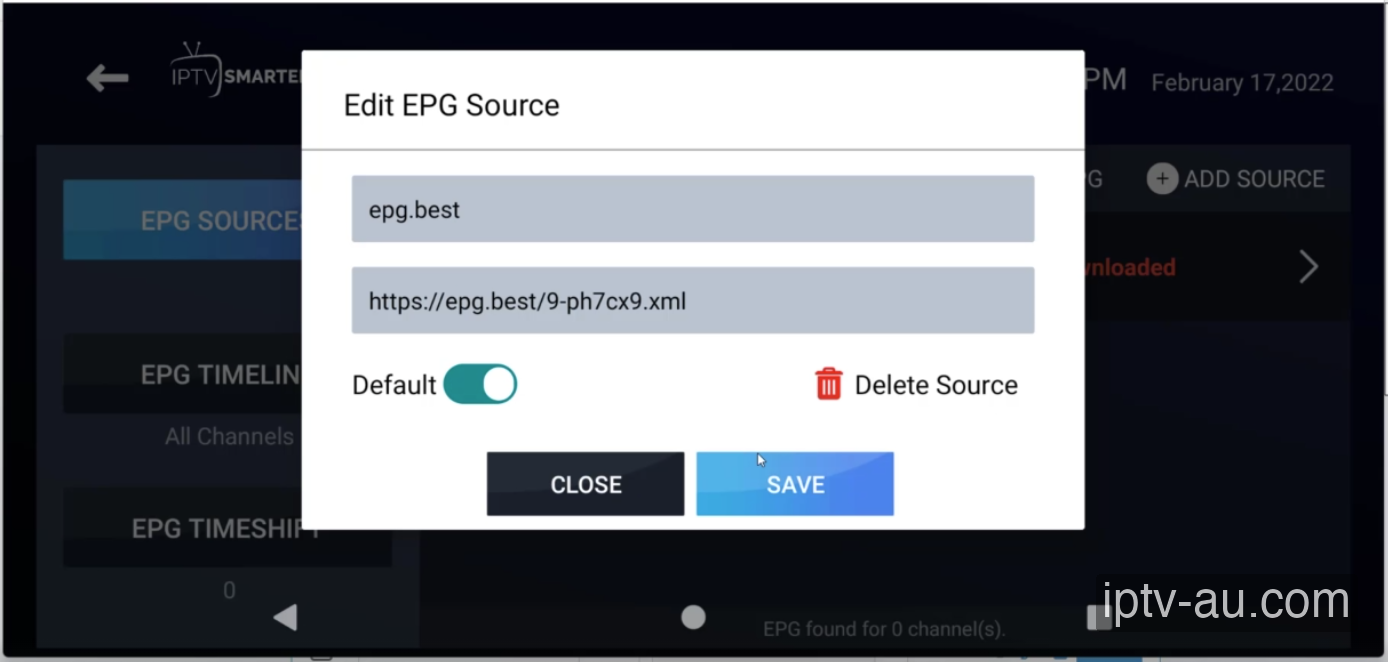
A popup will appear asking for the EPG Source
URL. Give it a name (e.g., "IPTV Australia EPG") and carefully type or paste the EPG link provided in your
subscription email. It usually ends in .xml or .xmltv. Click Save.
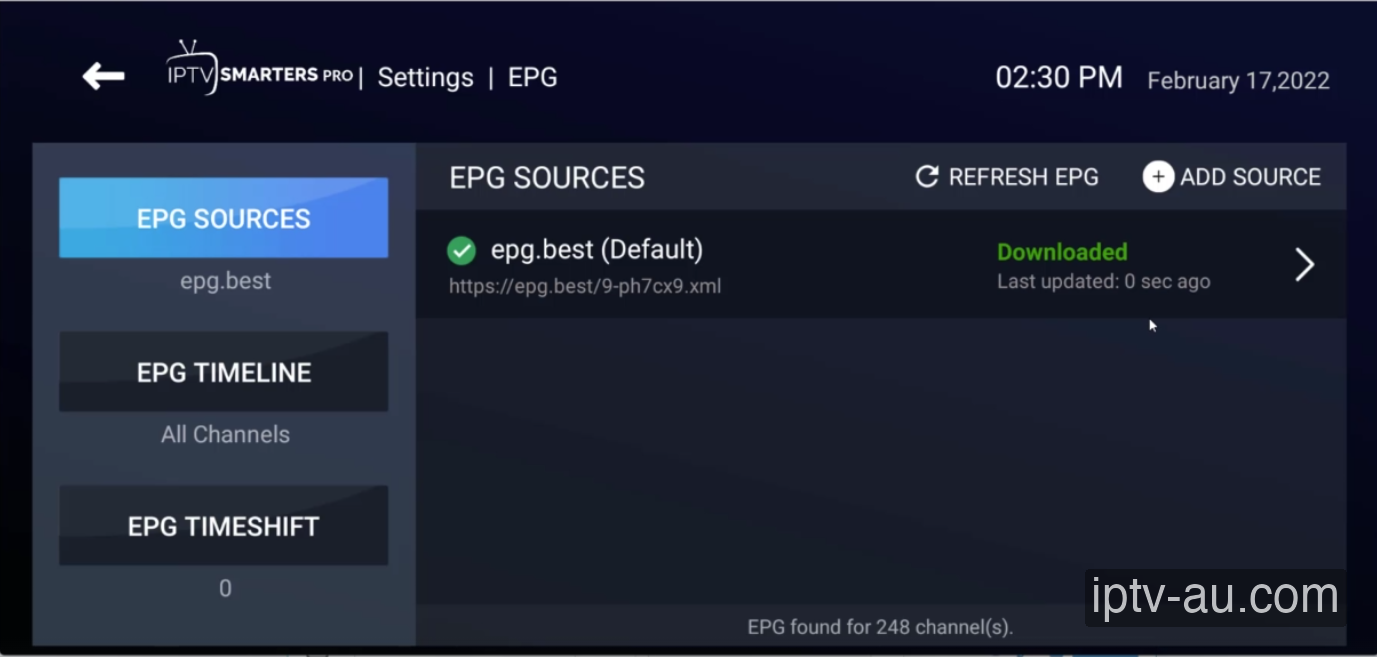
Once saved, you may need to click Refresh EPG or simply wait a moment. The app will connect to the server and download the TV guide data. You will see a "Downloaded" status when it's successful.
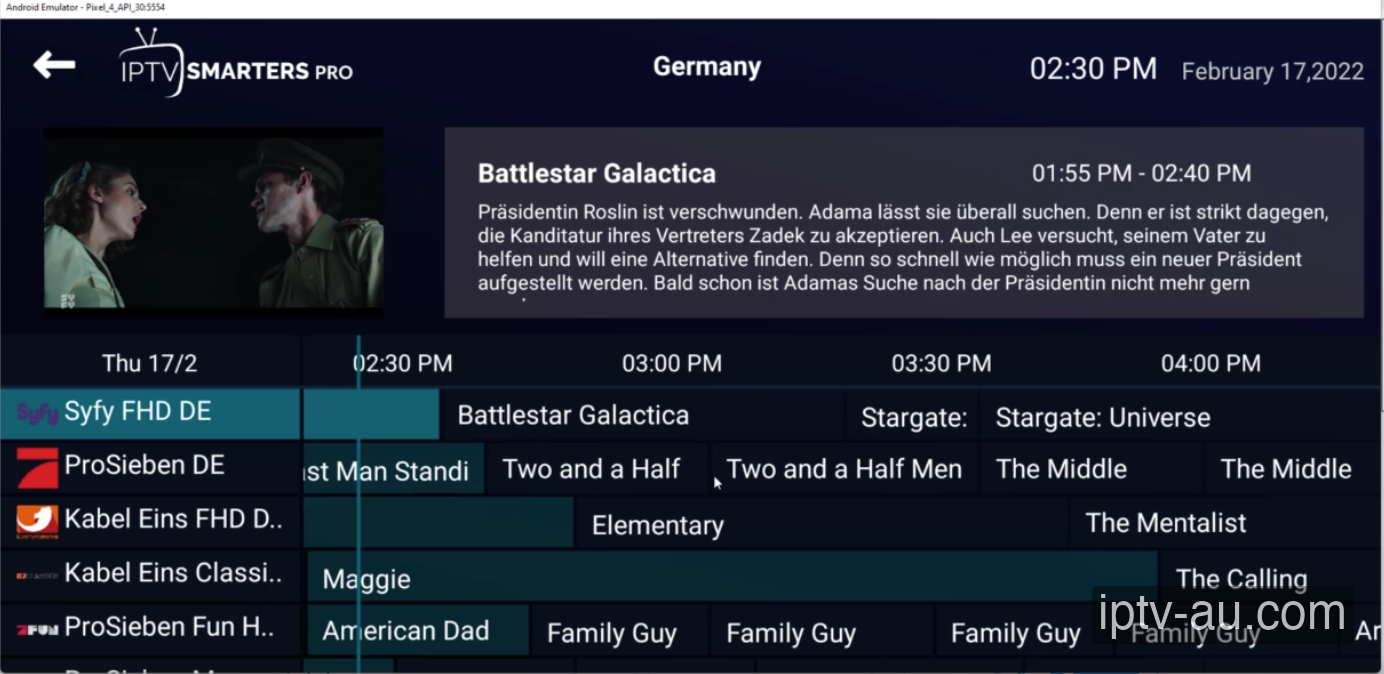
Return to the main menu and open the Live TV or TV Guide section. Your channel listings will now show current and upcoming programs, complete with times and descriptions.
It can take 2-3 minutes for the device to download the massive XMLTV file. If it stays blank, ensure you clicked "Refresh EPG" in the settings, or simply restart the app.
If the TV shows are appearing an hour early or late, go to your IPTV app settings and look for "EPG Time Shift". Adjust it by +1 or -1 hour until the schedule matches your local time.
EPG links can sometimes change or require updates. Contact our support team to get the most updated XMLTV link associated with your specific subscription.
This is normal. EPG data is incredibly complex and covers thousands of channels. While major networks always have data, smaller local or international broadcast channels might not have a guide available.
Yes, advanced apps like TiviMate allow you to assign multiple EPG URLs simultaneously. However, using just the primary one provided by us is usually sufficient and prevents performance drops.
The EPG data updates automatically every 24 hours on the server side. Your IPTV application will pull this new data down whenever it performs its scheduled background refresh.
If your device is struggling, try setting the EPG update interval to 'Once a day' instead of 'Every time app starts', or reduce the 'Past Days to keep EPG' setting in your app to 0 to save memory.