Open the Microsoft Store
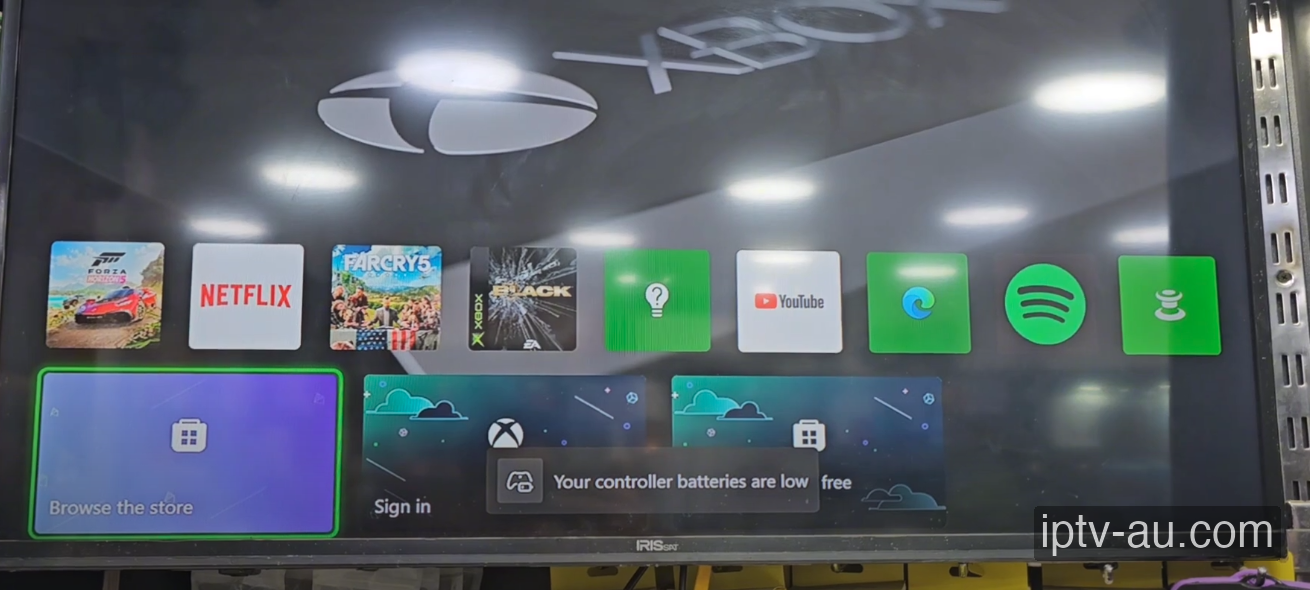
Turn on your Xbox console and navigate to the home dashboard. Scroll down and click on the Microsoft Store tile (the icon that says "Browse the store").

How do I set up IPTV on Xbox? To configure your Xbox for IPTV, install a professional player app (like IPTV Smarters Pro or TiviMate) either from the official app store or by sideloading it. Once installed, launch the application and choose "Login with Xtream Codes API" to enter your subscription credentials and unlock your live TV and VOD library.
| IPTV Subscription | IPTV Xbox |
|---|---|
| Best App | IPTV Fluent |
| Method | Microsoft Store |
| Setup Time | 2 mins |
| Official Website | Visit Site |
| Device Support | Xbox Support |
You don't need to buy an extra stick if you own an Xbox One, Xbox Series S, or Xbox Series X! Microsoft's Universal Windows Platform (UWP) allows developers to release powerful IPTV apps directly onto the Xbox Store. No sideloading or USB drives are required.
Turn on your Xbox console and navigate to the home dashboard. Scroll down and click on the Microsoft Store tile (the icon that says "Browse the store").
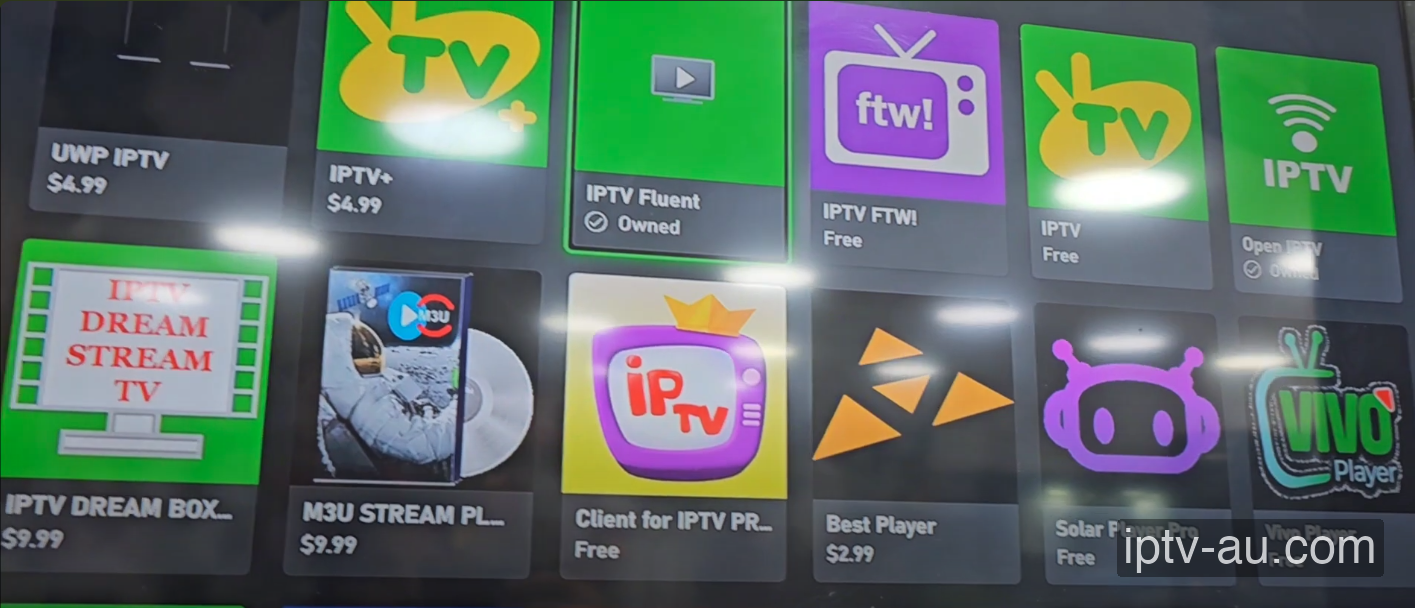
Click the search icon and type "IPTV". You will see several options available. We highly recommend downloading IPTV Fluent as it is one of the most stable UWP apps available on Xbox. Select it and click Install.
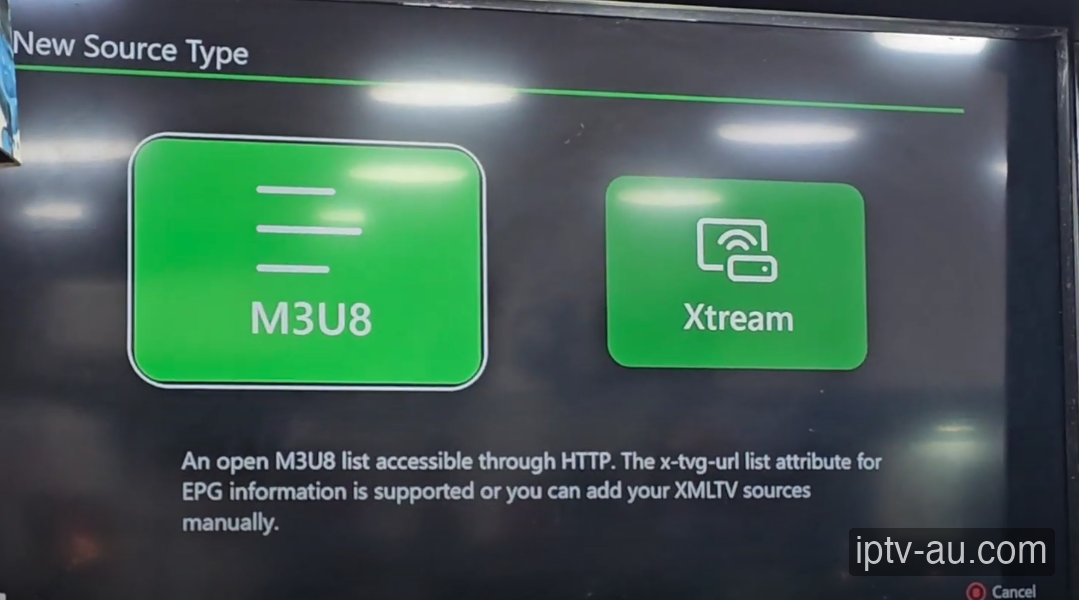
Launch the app from your game library. When prompted to add a New Source Type, select Xtream. Enter the Username, Password, and URL provided by our WhatsApp team and save the configuration.
The app will parse your playlist and pull all the channel logos and TV guides. You can now sit back with your controller and navigate through live sports, movies, and TV shows directly on your Xbox!

Not all Xbox apps are perfectly optimized for controllers. If you cannot highlight a specific button, use the right analog stick to enable cursor mode within the app.
If you open a game, your IPTV app will be suspended and disconnected. You will need to fully restart the IPTV app when returning to the dashboard.
This is usually caused by corrupted cache data. Go to your device's Settings > Apps, find the IPTV app, and run a System Cache Clear. If the issue persists, reinstall the application.
Live TV requires a constant, uninterrupted stream of data, while VOD can buffer ahead. Ensure your device is connected via Ethernet. If you must use Wi-Fi, ensure you are on a 5GHz network close to the router.
This indicates a video codec compatibility issue. Go to the app's Player Settings and toggle the decoder between Hardware (HW) and Software (SW). HW decoding is recommended for most modern devices.
Live TV and VOD often stream from different server ports. If Live TV works but VOD doesn't, your ISP might be blocking the VOD port. Restart your router or enable a premium VPN to bypass the block. For a detailed walkthrough, view our Secure VPN Setup Guide for IPTV.
Double-check your credentials. The Xtream Codes API requires exact case-sensitivity. A very common mistake is having an invisible trailing space at the end of your username, password, or server URL.