Download the App
Open your TV's App Store (Samsung Smart Hub, LG Content Store, or Google Play Store) and search for IBO Player Pro. Install the app.
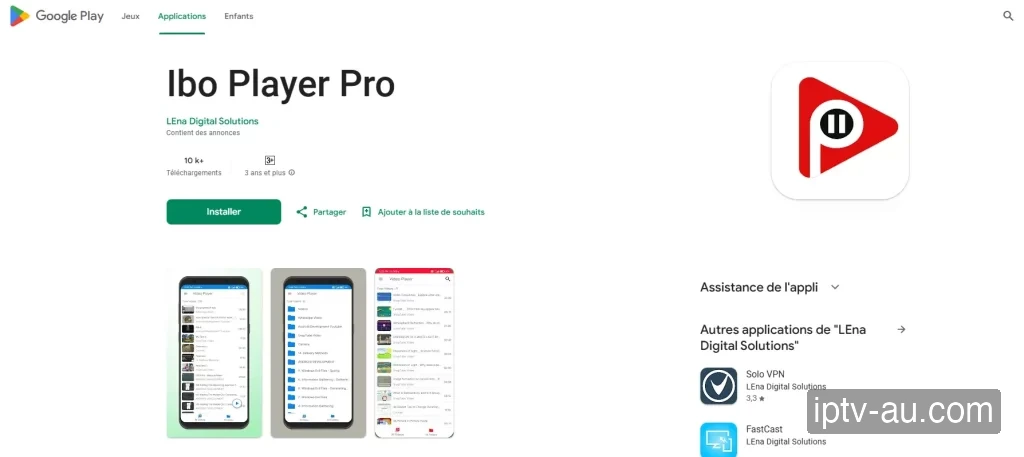
The official app has a red play button logo.

How do I set up IPTV on IBO Player Pro? To configure IBO Player Pro for IPTV, install the application on your device. Once installed, launch the app and choose "Login with Xtream Codes API" (or enter your M3U link) to securely input your subscription credentials and load your live TV and VOD library.
| IPTV Subscription | IPTV IBO Player Pro |
|---|---|
| Pricing | Paid (~€8.00) |
| Free Trial | 7 Days |
| App Size | ~20 MB |
| Compatibility | Smart TV (Samsung/LG), Android, Firestick |
| Setup Time | 4 mins |
| Official Website | Visit Site |
| App Support | [email protected] |
| Google Play | View on Play Store |
| App Store (iOS) | View on App Store |
IBO Player Pro is a premium, feature-rich media player designed for Smart TVs. It offers an elegant user interface, rapid channel loading, and robust handling of massive VOD libraries. Like other premium TV apps, it uses a MAC address and Device Key activation system via its online portal.
Open your TV's App Store (Samsung Smart Hub, LG Content Store, or Google Play Store) and search for IBO Player Pro. Install the app.
Launch the app. It will immediately display your unique MAC Address and Device Key on the screen. Write both of these down.
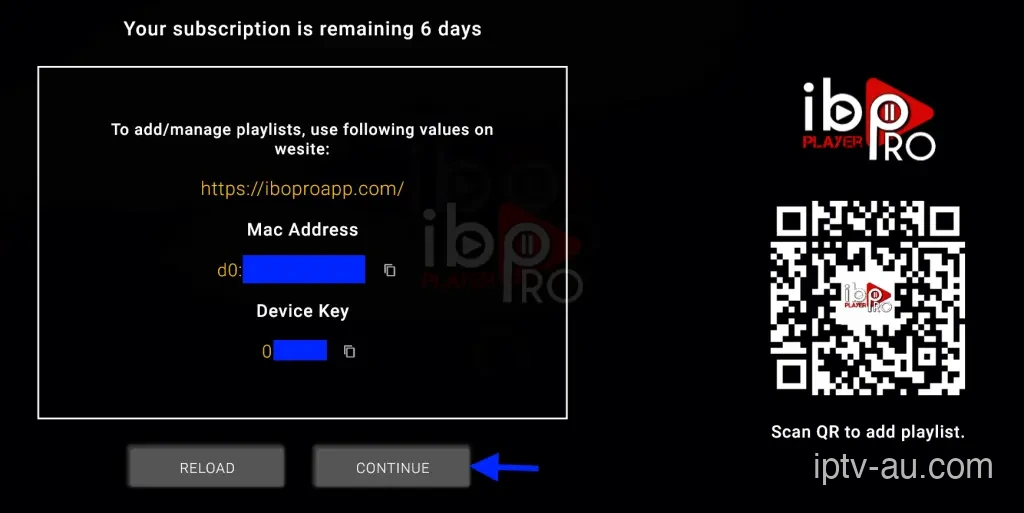
On your phone or computer, go to iboproapp.com. Enter your MAC Address, Device Key, and the Captcha code to log in.
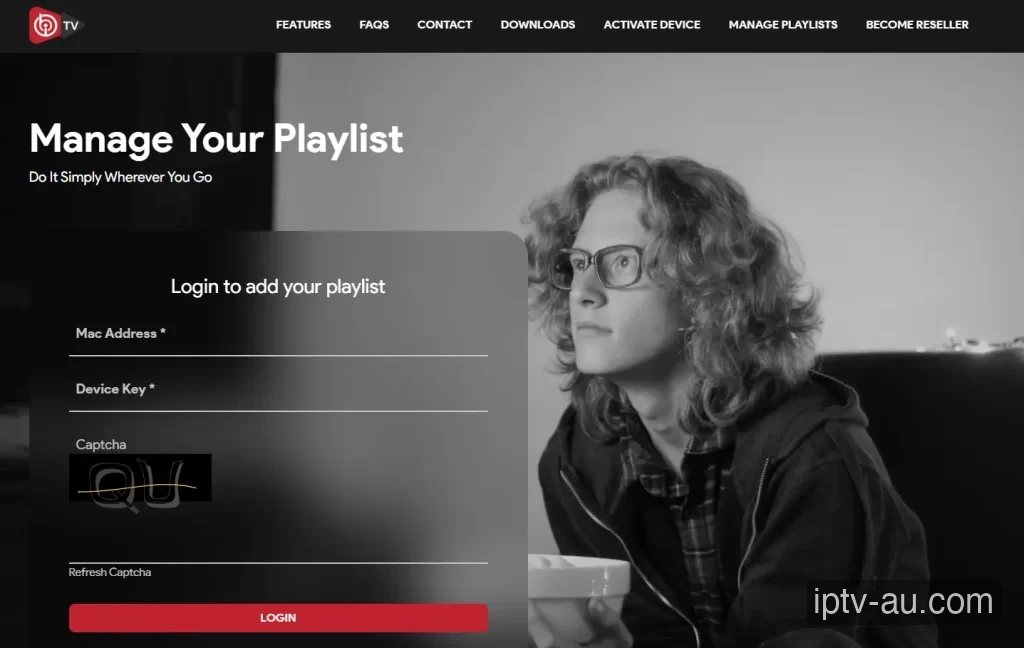
Once logged in, click on Add Playlist. Paste the M3U Link provided by IPTV Australia into the URL field, give it a name (like "IPTV Australia"), and click Save.
Important: Ensure there are no extra spaces at the start or end of your M3U link when pasting.
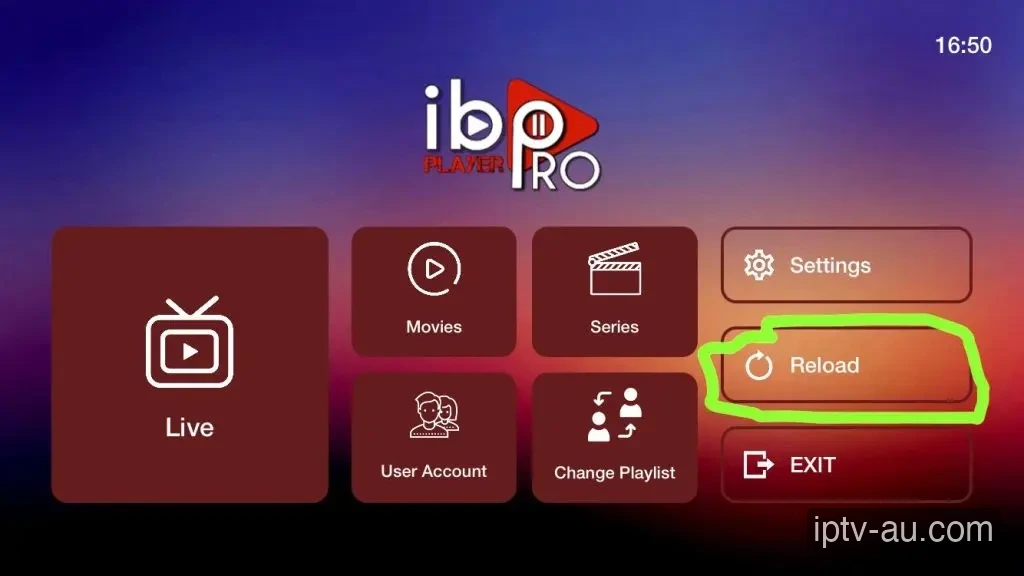
Return to your TV. Click the Reload button on the main dashboard. The app will sync and your Live TV, Movies, and Series will appear!
Make sure you are typing the letters exactly as they appear (check if O is a zero) and do not include spaces on the portal.
If your TV struggles to load the full 58,000+ list, contact IPTV Australia support via WhatsApp. We can reduce your playlist size by removing countries you don't watch.
IBO Player Pro usually offers a 7-day free trial. After that, the app developer requires a small one-time activation fee (paid on their website, not to IPTV Australia).
First, reboot your internet router and your streaming device. If the issue persists, your ISP may be throttling the connection. Consider using a VPN or clearing the app cache.
Force an update of the EPG from the app settings. Some apps require you to manually enter the EPG URL (ending in .xml) if you logged in via an M3U playlist instead of Xtream Codes. Learn more in our Ultimate EPG Troubleshooting Guide.
Double-check your Username, Password, and Server URL. Typos are the #1 cause of login failures. Ensure the URL matches exactly, including the http:// and the port number at the end.
If your live TV works but VOD is missing, you may need to check the "Include VOD" box during setup, or manually trigger a VOD refresh in the app's settings menu.
While some apps are cross-platform, many are specifically designed for Android TV and Firestick. Check the Apple App Store for iOS alternatives like Smarters Player Lite or UHF.
This is usually caused by corrupted cache data. Go to your device's Settings > Apps, find the IPTV app, and select a System Cache Clear. If the issue persists, reinstall the application.
Live TV requires a constant, uninterrupted stream of data, while VOD can buffer ahead. Ensure your device is connected via Ethernet. If you must use Wi-Fi, ensure you are on a 5GHz network close to the router.
This indicates a video codec compatibility issue. Go to the app's Player Settings and toggle the decoder between Hardware (HW) and Software (SW). HW decoding is recommended for most modern devices.
Live TV and VOD often stream from different server ports. If Live TV works but VOD doesn't, your ISP might be blocking the VOD port. Restart your router or enable a premium VPN to bypass the block.
Double-check your credentials. The Xtream Codes API requires exact case-sensitivity. A very common mistake is having an invisible trailing space at the end of your username, password, or server URL.