App Logo

Kodi IPTV

How do I set up IPTV on Kodi IPTV? To configure Kodi IPTV for IPTV, install the application on your device. Once installed, launch the app and choose "Login with Xtream Codes API" (or enter your M3U link) to securely input your subscription credentials and load your live TV and VOD library.

Fast Facts

IPTV Subscription IPTV Kodi
Pricing 100% Free
App Type Open-Source Media Center
Compatibility Windows, Mac, Linux, Android, Firestick, Xbox
Setup Time 6 mins
Official Website Visit Site
App Support Community Forum
Google Play View on Play Store

Why use Kodi?

Kodi is a powerful, free, and completely customizable media center. By utilizing the built-in PVR IPTV Simple Client add-on, you can integrate your IPTV Australia M3U playlist directly into Kodi's native TV interface, complete with Electronic Program Guide (EPG) support.

Installation Steps

  1. Download and Install Kodi

    Go to kodi.tv/download and select the installer for your device (Windows, macOS, Linux). If you are on an Android device or Smart TV, you can download Kodi directly from the Google Play Store. On Firestick, use the Downloader app.

  2. Install the PVR IPTV Simple Client

    Once Kodi is installed, open it and follow this exact path to install the necessary add-on:

    • Click on Add-ons in the left menu.
    • Select Download.
    • Click on PVR clients.
    • Scroll down and select PVR IPTV Simple Client.
    • Click Install and wait for the "Add-on installed" notification.
  3. Configure Your M3U Playlist

    After installation, click on the PVR IPTV Simple Client again and select Configure.

    1. Under the General tab, set "Location" to Remote Path (Internet Address).
    2. Click on M3U Play List URL.
    3. Carefully type in the M3U Link provided by IPTV Australia:
      http://your-server.com/get.php?username=USER&password=PASS&type=m3u
    4. Click OK.
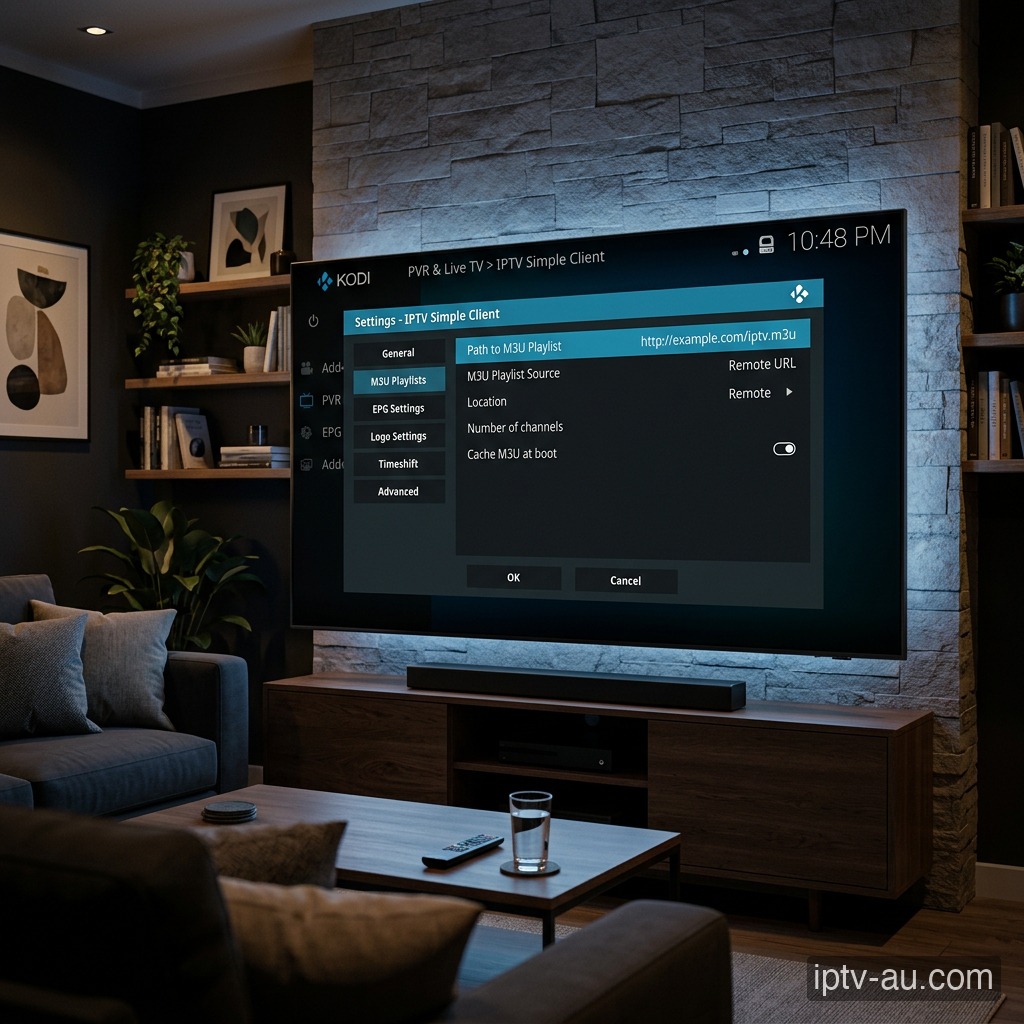
    Configure Your M3U Playlist for IPTV on Kodi IPTV
    Entering the M3U Playlist URL in the settings.
  4. Restart and Watch TV

    Ensure the add-on is marked as Enabled. Restart Kodi. When it boots back up, you will see a "PVR Manager is starting up" notification indicating your channels are downloading. Return to the Kodi Home Screen and select TV to start watching your Live Channels!

4.2

Honest User Reviews

App Store Verified

What Users Love

L

Linda M.

Handles 4K Beautifully

"Great app for Live TV. Kodi IPTV handles 4K streams with zero lag. Definitely a 5-star application!"

E

Emma W.

Lightning Fast

"The zapping speed between live channels is incredibly fast compared to other apps. Setting up Kodi IPTV was a breeze."

M

Michael R.

Best Player Yet

"Best IPTV player I've used so far. The interface on Kodi IPTV is clean, EPG loads instantly, and it never buffers on my Firestick."

S

Sarah T.

Super Organized

"Very easy to set up with Xtream Codes. VOD section in Kodi IPTV is organized perfectly, exactly like Netflix."

Critical Feedback

O

Olivia S.

No Official iOS App

"I love Kodi IPTV on my Android box, but I'm really disappointed there isn't a proper 1:1 version for my iPhone or Apple TV yet. Please make an iOS version!"

A

Alex V.

Heavy Battery Drain

"Using Kodi IPTV on my smartphone drains the battery much faster than standard streaming apps. It definitely needs some background optimization."

T

Tom H.

Subtitles are buggy

"Live TV works fine, but when watching movies on Kodi IPTV, the external subtitles sometimes fall out of sync. You have to manually adjust them constantly."

M

Mark D.

Crashes on older TVs

"The Kodi IPTV app works great on my new phone, but it sometimes crashes when loading the massive EPG on my 5-year-old Samsung TV."

Troubleshooting

Kodi says "Failed to Authorize"

This means your M3U link was typed incorrectly. Double check your username and password within the M3U link for any typos. It must match exactly.

The TV menu isn't showing

If the PVR IPTV Simple Client is not enabled, the TV menu on the home screen will hide itself. Go back to your Add-ons and ensure the client is "Enabled".

Channels are buffering constantly

First, reboot your internet router and your streaming device. If the issue persists, your ISP may be throttling the connection. Consider using a VPN or clearing the app cache.

The TV guide (EPG) is completely empty

Force an update of the EPG from the app settings. Some apps require you to manually enter the EPG URL (ending in .xml) if you logged in via an M3U playlist instead of Xtream Codes. Learn more in our Ultimate EPG Troubleshooting Guide.

Invalid details or Authentication failed

Double-check your Username, Password, and Server URL. Typos are the #1 cause of login failures. Ensure the URL matches exactly, including the http:// and the port number at the end.

VOD (Movies & Series) are missing

If your live TV works but VOD is missing, you may need to check the "Include VOD" box during setup, or manually trigger a VOD refresh in the app's settings menu.

Can I use this app on my iPhone?

While some apps are cross-platform, many are specifically designed for Android TV and Firestick. Check the Apple App Store for iOS alternatives like Smarters Player Lite or UHF.

App crashes immediately on startup

This is usually caused by corrupted cache data. Go to your device's Settings > Apps, find the IPTV app, and select a System Cache Clear. If the issue persists, reinstall the application.

Live TV is buffering, but VOD works

Live TV requires a constant, uninterrupted stream of data, while VOD can buffer ahead. Ensure your device is connected via Ethernet. If you must use Wi-Fi, ensure you are on a 5GHz network close to the router.

Audio is playing, but the screen is black

This indicates a video codec compatibility issue. Go to the app's Player Settings and toggle the decoder between Hardware (HW) and Software (SW). HW decoding is recommended for most modern devices.

VOD (Movies/Series) won't load

Live TV and VOD often stream from different server ports. If Live TV works but VOD doesn't, your ISP might be blocking the VOD port. Restart your router or enable a premium VPN to bypass the block.

"Playlist failed to load" Error

Double-check your credentials. The Xtream Codes API requires exact case-sensitivity. A very common mistake is having an invisible trailing space at the end of your username, password, or server URL.

Pricing Plans

IPTV Subscription

IPTV
12 Months
$110.00 AUD
One-time payment - No subscription
  • +58,000 Channels
  • +97,000 Movies and Series
  • 8K / 4K / Ultra HD Quality
  • ALL Premium Sports Channels
  • All Devices Supported
  • 24/7 Support
  • Built-in VPN protection
  • CATCH-UP TV Service
  • 30-Day Money-Back Guarantee
Order Now
Most Popular
IPTV
24 Months
$160.00 AUD
One-time payment - No subscription
  • +58,000 Channels
  • +97,000 Movies and Series
  • 8K / 4K / Ultra HD Quality
  • ALL Premium Sports Channels
  • All Devices Supported
  • 24/7 Support
  • Built-in VPN protection
  • CATCH-UP TV Service
  • 30-Day Money-Back Guarantee
Order Now
IPTV
3 Months
$60.00 AUD
One-time payment - No subscription
  • +58,000 Channels
  • +97,000 Movies and Series
  • 8K / 4K / Ultra HD Quality
  • Sports Channels
  • All Devices Supported
  • 24/7 Support
Order Now
LIVE NOW: SPORTS